

Prerequisites
- A server on your network with Docker and Docker Compose installed. Note its IP address (this guide uses
192.168.1.3). - A SIP trunk from a provider, if you want to call the PSTN: the provider’s host and port, your trunk username and password, and a phone number in E.164 format.
- A softphone on each device, such as Zoiper, Telephone, or Blink.
What you deploy
This setup runs four Routr components instead of the all-in-one image:
With one processor and no middleware, the EdgePort talks to the Connect processor directly. Processors expose the same gRPC interface as the Message Dispatcher, so no dispatcher is needed.
Set up the system
1
Create the Compose file
Create a
routr directory and add the following compose.yaml to it.compose.yaml
2
Configure the EdgePort
Create
config/edgeport.yaml. Set externalAddrs to the server’s IP address so Routr advertises an address your phones can reach.config/edgeport.yaml
3
Configure the Location Service
Create
config/location.yaml. A single Location Service instance can keep registrations in memory.config/location.yaml
4
Add credentials
Create
config/resources/credentials.yaml with one set of credentials per extension, plus one for the trunk. Replace the passwords with your own, and use the username and password your provider gave you for the trunk.config/resources/credentials.yaml
5
Add the trunk and the number
Create Create
config/resources/trunks.yaml. The outbound URI is where Routr sends calls to the PSTN. The inbound URI is the host your provider puts in the Request-URI when it sends you calls; Routr uses it to match incoming calls to this trunk.config/resources/trunks.yaml
config/resources/numbers.yaml. Calls to telUrl ring the extension in aorLink.config/resources/numbers.yaml
6
Add the Domain
Create
config/resources/domains.yaml. The egress policy sends any number that doesn’t match an extension out through number-01 and its trunk. The rule is a regular expression matched against the dialed number.config/resources/domains.yaml
7
Add the extensions
Create
config/resources/agents.yaml with one Agent per extension. Each Agent belongs to the Domain and uses its own credentials.config/resources/agents.yaml
8
Start the services
Start the stack in the background.Check that every service is running.
All four services show a status of
Up.Configure the softphones
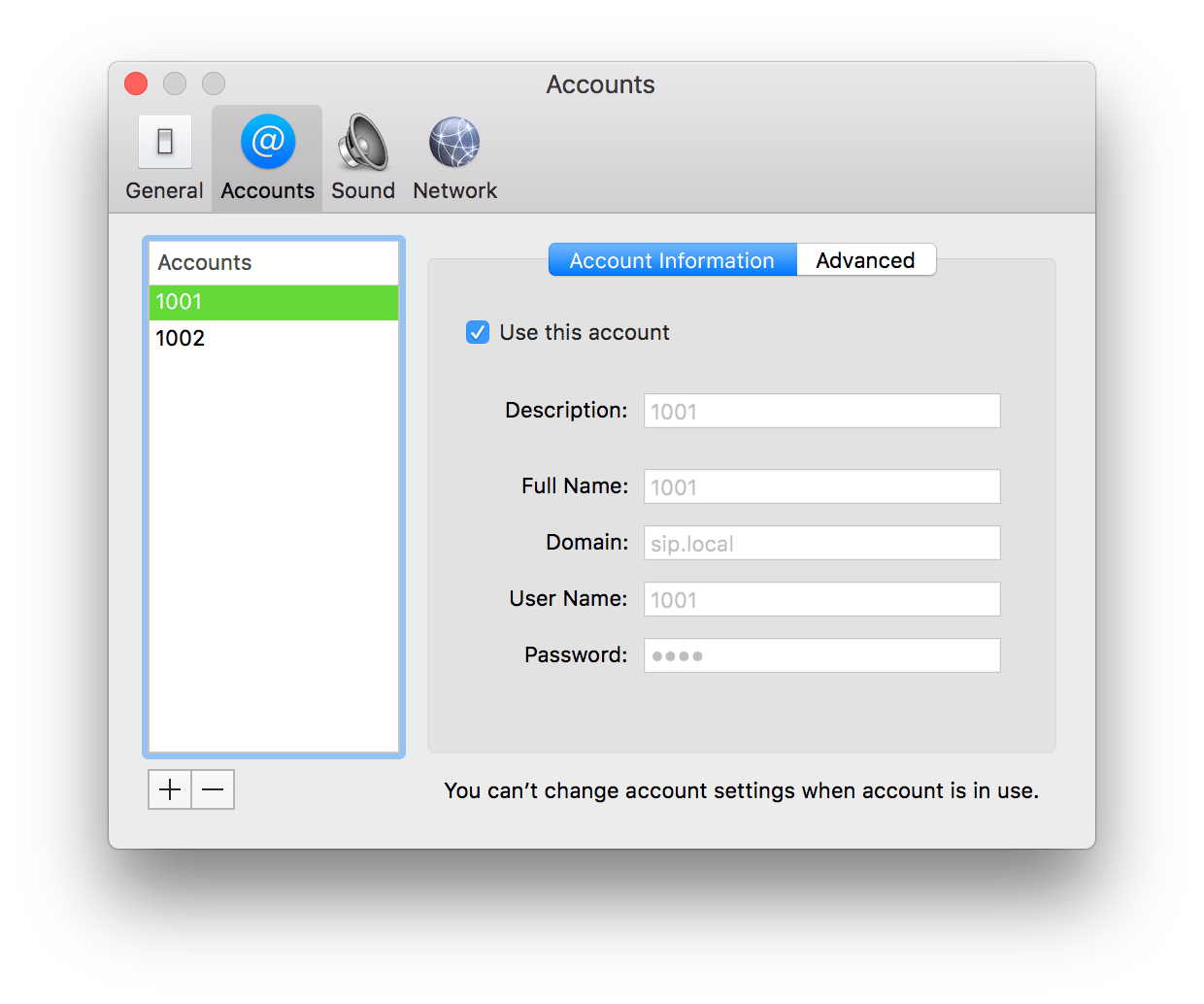
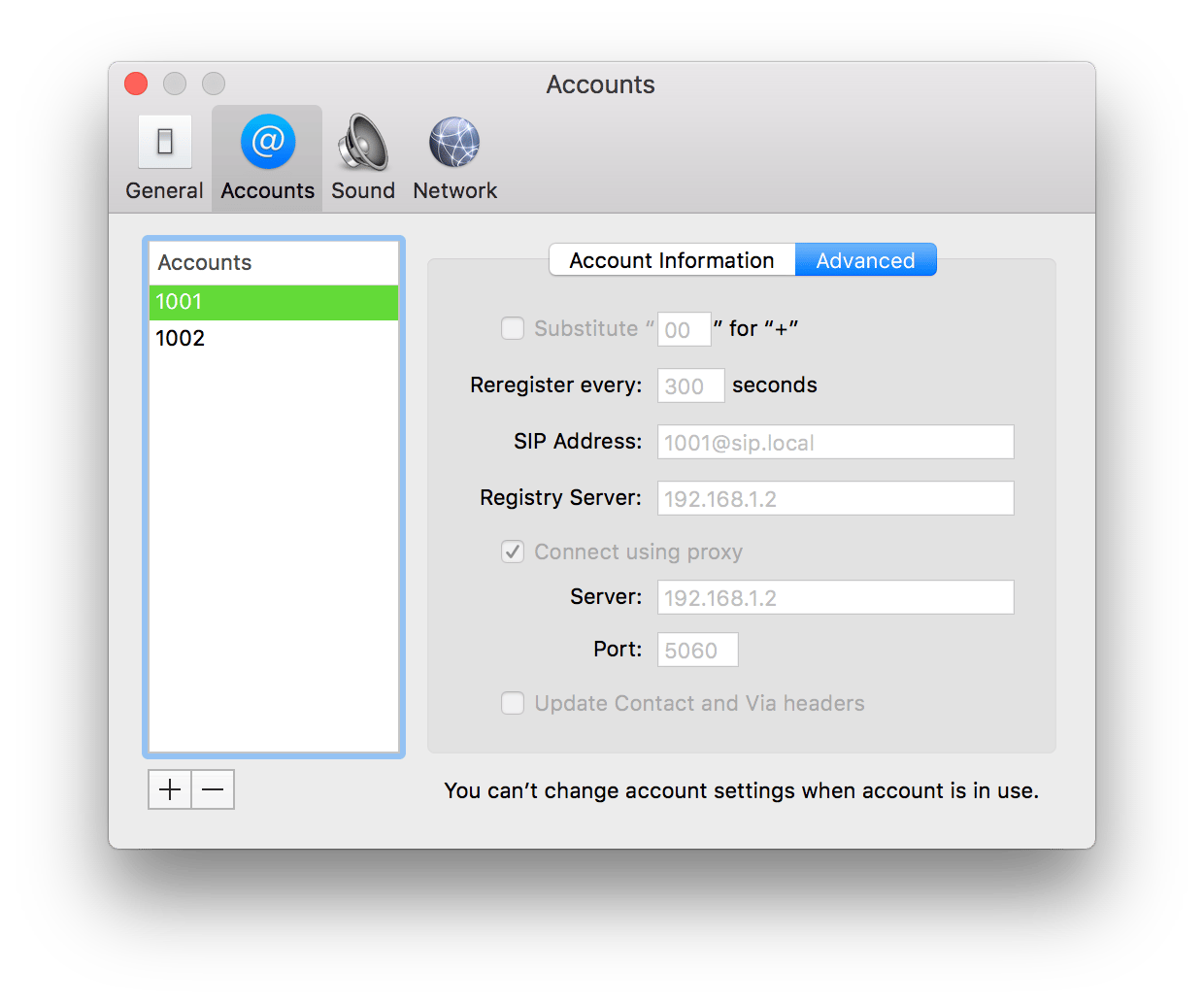
Create one account per extension. The settings for extension1001 are:
The domain
sip.local doesn’t need to resolve in DNS, because the phone sends its traffic to the proxy address. This is how the account looks in the Telephone app for macOS:
5060:
Verify
- From
1001, dial1002. The second phone rings (agent-to-agent). - From either extension, dial an outside number. The call goes out through the trunk (agent-to-PSTN).
- Call
+17066041487from an outside phone. Extension1001rings (from-PSTN).
Make changes
The simpledata API Server reads the YAML files when it starts. After editing files underconfig/resources, restart it.
Troubleshooting
- Phones fail to register with
403 Forbidden. The username in the softphone doesn’t match an Agent in the Domain, or the Domain in the softphone isn’tsip.local. - Calls connect without audio.
externalAddrsinedgeport.yamldoesn’t match the server’s IP address. - Incoming PSTN calls are rejected with
403. The host in the provider’s Request-URI must equal the trunk’sinbound.uri, and the user part must match the Number’stelUrlexactly, including the+. - Outbound calls fail. Check the trunk’s outbound host, port, and credentials. Some providers also require
sendRegister: true.
Next steps
Connect resources
Every field for Agents, Domains, Trunks, and Numbers.
Routing types
How Connect picks a route for each call.
Connect a PBX as a Peer
Add voicemail and IVR with Asterisk or FreeSWITCH.
Secure the server
Use TLS for signaling.