

routr-one image and the routr-connect Helm chart use it.
Routr isn’t certified under SIP Connect 1.1. The Connect processor follows the PBX portion of the specification and adds features outside it, such as WebRTC support when combined with RTPEngine.
Resources
Connect describes your network with seven kinds of resources. You manage them with rctl, the SDK, or, with thesimpledata API Server, YAML files.
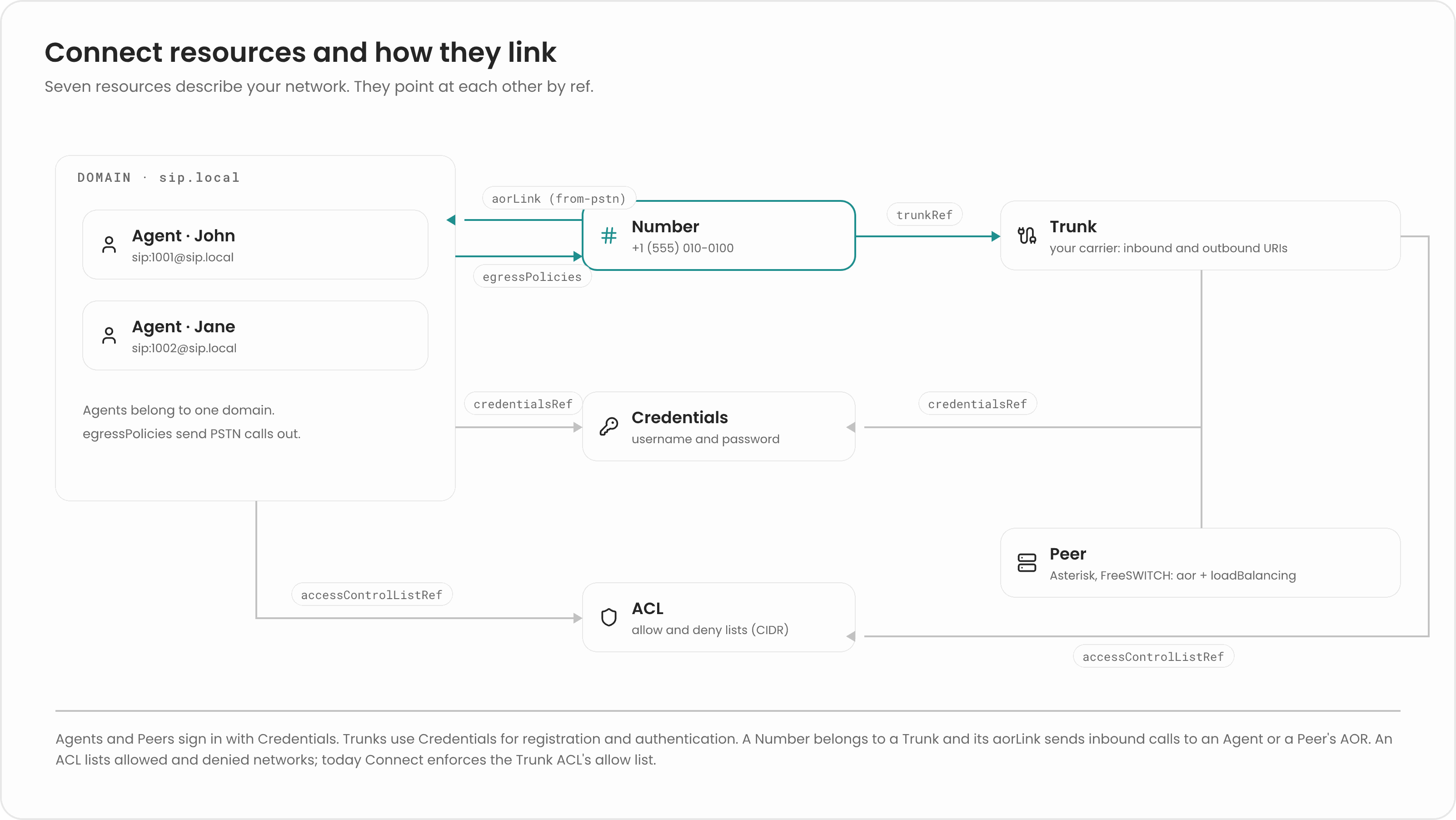
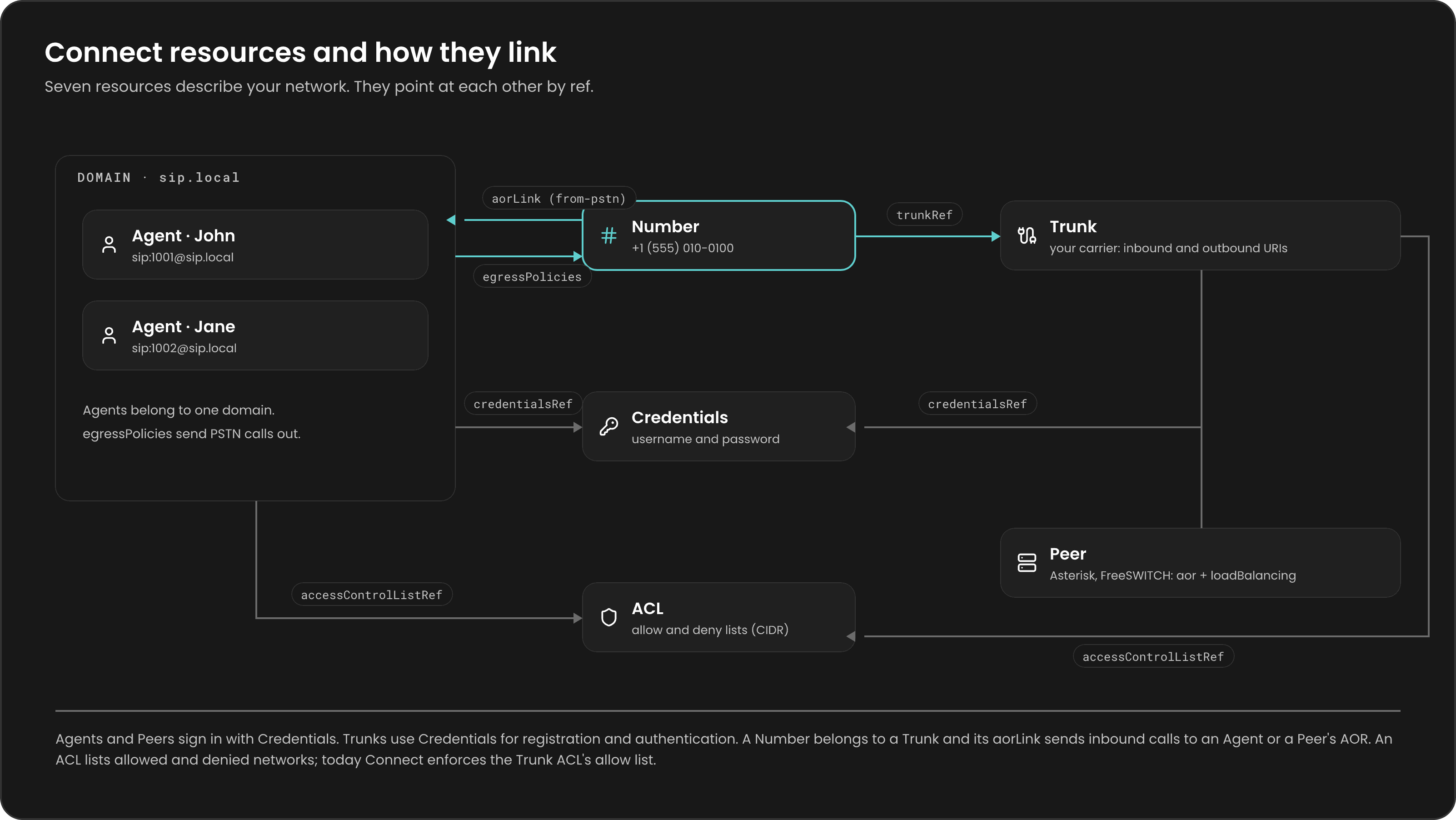
Read Resources overview for every field.
How Connect processes a request
Connect handles each request according to its method:REGISTER: Connect finds the Agent or Peer by the user and host in theFromheader, checks the digest credentials, and stores the route in the Location Service. Agents register under their own address; Peers register under theiraor.INVITEand other new requests: Connect identifies the caller and the callee, picks one of five routing types, runs the access checks for that type, finds the route, and returns the request with the alterations needed to reach the target.ACKandBYE: Connect forwards them along the path already recorded for the dialog.MESSAGE,SUBSCRIBE,NOTIFY, andPUBLISH: Connect answers405 Method Not Allowed. To handle them, put another Processor in front of Connect in the Dispatcher.
X-Connect-Token header instead. The token carries claims similar to an Agent’s fields: its aor, domain, allowedMethods, and an aorLink to the Peer it may call. See Ephemeral agents in the browser.
When to use Connect and when to write a Processor
Use Connect when your network fits the PBX model:- Phones that register and call each other inside a Domain.
- Calls to and from the PSTN through carrier Trunks and Numbers.
- A group of Asterisk or FreeSWITCH servers behind Routr, with load balancing and session affinity.
- WebRTC clients, together with RTPRelay and RTPEngine.
MESSAGE. You don’t have to choose one or the other: the Dispatcher can send some requests to your Processor with a matchFunc and the rest to Connect. See Build a processor.
Related pages
Routing
Learn how Connect picks one of five routing types.
Load balancing
Spread calls across a group of Peers.
Resources overview
See every field of every resource.
Connect processor reference
Configure the Connect service.