

Prerequisites
- A Gitpod account.
- An SSH key pair on your computer.
- A softphone that supports SIP over TCP (for example Zoiper or Blink).
What the workspace runs
The repository’s.gitpod.yml defines one task. On start it appends etc/hosts.txt to /etc/hosts, runs npm run make to build everything, and then runs npm start. That gives you the same Connect distribution as running from source: two EdgePorts (ports 5060 to 5063 and 6060 to 6063), the Message Dispatcher (51901), Location Service (51902), the Connect processor (51904), Registry, Requester, and the API Server with the YAML backend.
Open and connect
1
Start the workspace
Open the workspace in your browser. The first build takes a few minutes: When it’s ready you get an editor, a file explorer, and a terminal running
When it’s ready you get an editor, a file explorer, and a terminal running npm start.2
Add your SSH key to Gitpod
Print your public key. On Linux or macOS:On Windows:If you don’t have a key, create one:Paste the public key at gitpod.io/user/keys.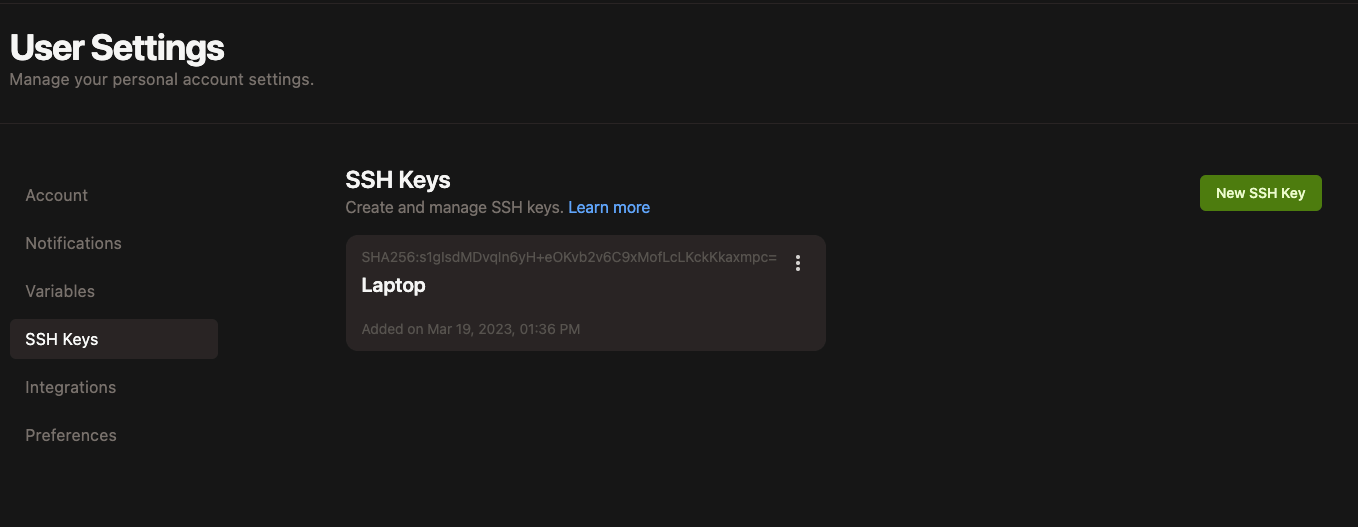
3
Copy the SSH connection command
Go to gitpod.io/workspaces, open the More menu on your workspace, and select Connect via SSH. Copy the command it shows.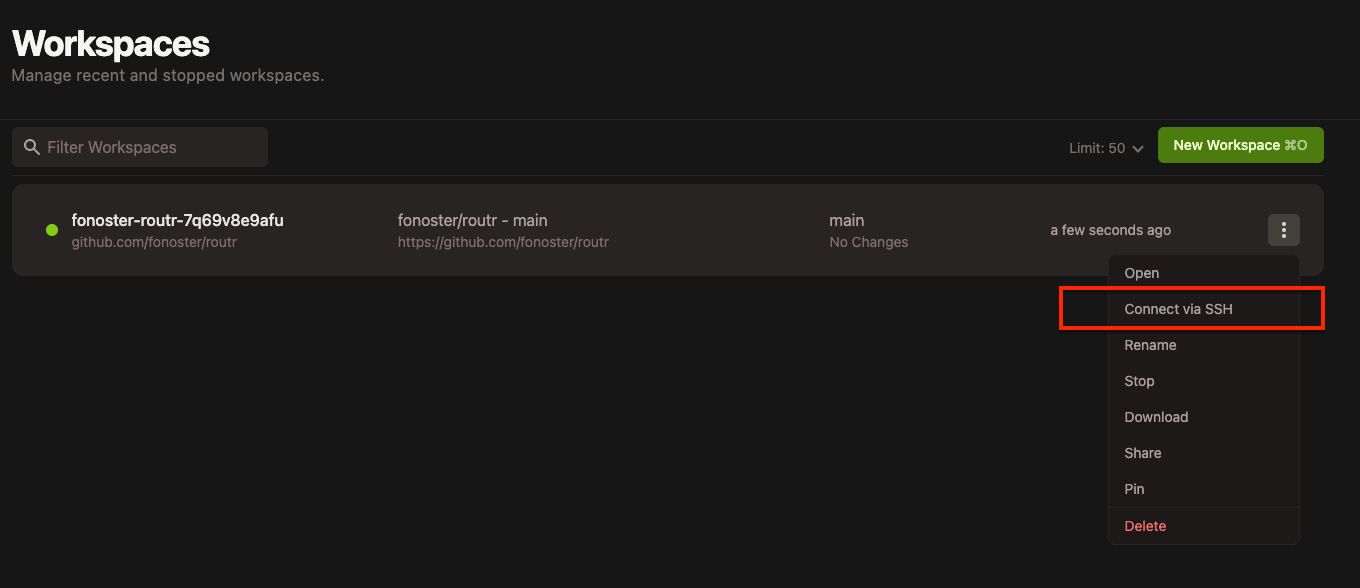
4
Forward the SIP port
Run the SSH command with For example:Keep this session open while you test.
-L 5060:localhost:5060 appended. This forwards your local TCP port 5060 to the workspace:5
Register a softphone
Point a softphone at
localhost:5060 using TCP, domain sip.local, and one of the Agents defined in config/resources (for example user 1001, password 1234).The softphone shows as registered, and the workspace terminal logs the
REGISTER.Change the data
The workspace uses the YAML backend (simpledata), so you don’t create Domains or Agents with rctl. Edit the files in config/resources instead, then restart npm start to load them.
Pitfalls
- UDP doesn’t work through the tunnel. SSH port forwarding carries TCP only. Configure your softphone for TCP.
- Java changes need a rebuild. Nodemon reloads the Node.js services, but EdgePort and Requester need
npm run build:javaand a restart ofnpm start. - The TLS keystore isn’t in the repository. The task’s
beforestep copiesetc/certs/signaling.p12, which isn’t tracked. If EdgePort fails to start because of the keystore, create one as described in Run Routr from source.
Related
Run Routr from source
The same setup on your own machine.
Contributing
How to send your changes upstream.